Play Fetch Quest online for free

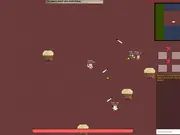
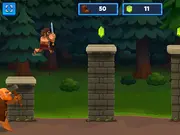
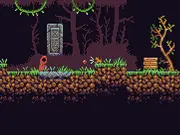
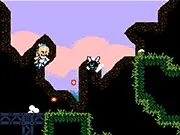
Fetch Quest is a platform adventure game where you play as a dog. A dog who plays fetch with your best friend when he suddenly vanished. You need to go on trail and enter the tower to get him back. Bark on the ghost to make them move away. Hurry! You can turn on Double Jump mode by holding S key) and pressing Up. This mode will grant you a second jump mid-air after regular jumps and wall jumps. Never fear! Ancient canine magic is available to you! Simply hold S key and press A key and your ball will be teleported to your feet. But beware, a full 3 minute time penalty will be applied. All magic comes at a cost! Enjoy playing Fetch Quest game here at Mingames!

Fetch Quest is available on mingames as a browser game. You can launch it when you are ready (use the green Play button below so the game only loads after you choose to play, which keeps the first view of this page lighter for visitors on slower connections).

Our editors describe each title with the official short description when provided, list the default controls, and link related games so you can discover more in the same genre. If you need help with account issues, removals, or partnerships, use the contact page so we can respond by email.

Topics and tags: Puzzle, 1 Player, Platform, Dog, Animal, Html 5, Touchscreen, Pixel. These labels help you find similar games from our catalog without leaving the site.
New Games

Fetch Quest thumbnail

The game loads only after you press Play — better for speed and privacy until you opt in.

Fetch Quest 97,701 plays
0/100 (0 votes)
Enter fullscreen

About this game on mingames

Summary. Fetch Quest is a platform adventure game where you play as a dog. A dog who plays fetch with your best friend when he suddenly vanished. You need to go on trail and enter the tower to get him back. Bark on the ghost to make them move away. Hurry! You can turn on Double Jump mode by holding S key) and pressing Up. This mode will grant you a second jump mid-air after regular jumps and wall jumps. Never fear! Ancient canine magic is available to you! Simply hold S key and press A key and your ball will be teleported to your feet. But beware, a full 3 minute time penalty will be applied. All magic comes at a cost! Enjoy playing Fetch Quest game here at Mingames!

Audience. Titles on mingames are aimed at casual players looking for short sessions in the browser. Difficulty and themes vary by developer; use tags and related games to narrow what you like.
Fair play. Scores and achievements depend on the third-party build we embed. If something looks broken after an update, reload the page once or report the game with the flag button above.

How to play — controls for Fetch Quest

Follow the scheme below while the game window is focused. On desktop, click inside the game area first so keyboard input reaches the title.

  • Move
    Jump/Begin
    Bark/Throw ball/Skip
    Pause/Menu
  • Fullscreen (page)

Tips for a smoother session

  • Close unused tabs and pause large downloads so the browser has free CPU for Fetch Quest.
  • Use fullscreen when supported for a stable aspect ratio and fewer accidental clicks outside the frame.
  • If audio is blocked, interact once with the page (Play counts) so autoplay policies can unlock sound where the developer allows it.
  • Bookmark this URL if you plan to return; the same page will list updated play counts and community rating over time.

Frequently asked questions

Is Fetch Quest free here?
Yes. We host a free-to-play embed on this page. Optional ads on the site may appear according to our policy and your region.
Do I need to install anything?
No app store install is required for typical HTML5 games. Flash-era titles may use in-browser emulation (Ruffle) when marked as SWF.
Can I play on mobile?
Many games support touch; some are keyboard-first. If controls feel awkward, try rotating the device or switching to a desktop browser.

Related games