Play Archer vs Archer online for free

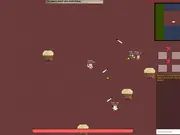
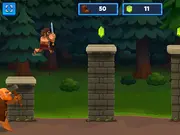
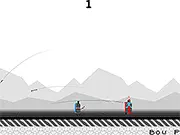
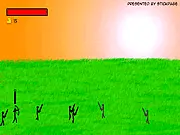
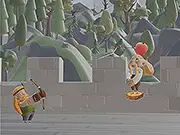
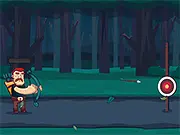
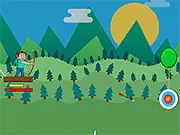
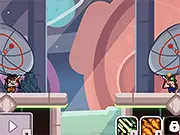
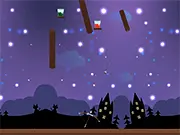
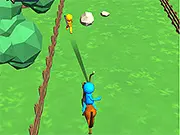
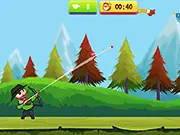
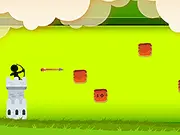
Use skill and accuracy to shoot enemy archers or play against your friends. Three exciting game modes, Running Archer single-player Mountain Archer single-player Archer vs Archer two-player. Archer vs Archer game is not very hard to play but as time goes you will be very professional. You control the player by moving your mouse to direct where it will shoot, as well as the strength by which it will fire. Hold and drag to set the exact power and correct angle to reach the enemies. Be quick and kill the enemies before they kill you. In this running game, the important step is to stop where it is needed. Watch the arrows headed towards you. If they are coming towards you stop, aim, and kill the enemies. Play this fun game and lot more other games only on mingames.

Archer vs Archer is available on mingames as a browser game. You can launch it when you are ready (use the green Play button below so the game only loads after you choose to play, which keeps the first view of this page lighter for visitors on slower connections).

Our editors describe each title with the official short description when provided, list the default controls, and link related games so you can discover more in the same genre. If you need help with account issues, removals, or partnerships, use the contact page so we can respond by email.

Topics and tags: 2 Players, 1 Player, Mouse Skill, Killing, Bow, Side Scrolling, Running, Html 5, Mobile, Touchscreen, Pixel. These labels help you find similar games from our catalog without leaving the site.
New Games

Archer vs Archer thumbnail

The game loads only after you press Play — better for speed and privacy until you opt in.

Archer vs Archer 74,560 plays
0/100 (0 votes)
Enter fullscreen

About this game on mingames

Summary. Use skill and accuracy to shoot enemy archers or play against your friends. Three exciting game modes, Running Archer single-player Mountain Archer single-player Archer vs Archer two-player. Archer vs Archer game is not very hard to play but as time goes you will be very professional. You control the player by moving your mouse to direct where it will shoot, as well as the strength by which it will fire. Hold and drag to set the exact power and correct angle to reach the enemies. Be quick and kill the enemies before they kill you. In this running game, the important step is to stop where it is needed. Watch the arrows headed towards you. If they are coming towards you stop, aim, and kill the enemies. Play this fun game and lot more other games only on mingames.

Audience. Titles on mingames are aimed at casual players looking for short sessions in the browser. Difficulty and themes vary by developer; use tags and related games to narrow what you like.

Fair play. Scores and achievements depend on the third-party build we embed. If something looks broken after an update, reload the page once or report the game with the flag button above.

How to play — controls for Archer vs Archer

Follow the scheme below while the game window is focused. On desktop, click inside the game area first so keyboard input reaches the title.

  • Aim and Shoot
  • Fullscreen (page)

Tips for a smoother session

  • Close unused tabs and pause large downloads so the browser has free CPU for Archer vs Archer.
  • Use fullscreen when supported for a stable aspect ratio and fewer accidental clicks outside the frame.
  • If audio is blocked, interact once with the page (Play counts) so autoplay policies can unlock sound where the developer allows it.
  • Bookmark this URL if you plan to return; the same page will list updated play counts and community rating over time.

Frequently asked questions

Is Archer vs Archer free here?
Yes. We host a free-to-play embed on this page. Optional ads on the site may appear according to our policy and your region.
Do I need to install anything?
No app store install is required for typical HTML5 games. Flash-era titles may use in-browser emulation (Ruffle) when marked as SWF.
Can I play on mobile?
Many games support touch; some are keyboard-first. If controls feel awkward, try rotating the device or switching to a desktop browser.

Related games